About
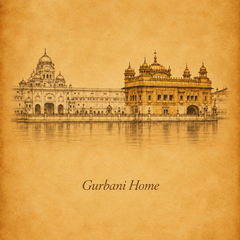
Gurbani Home
Gurbani Home is a simple companion for staying close to Gurbani every day. It has three parts:
Daily Quote: each day, a Rahao line from Sri Guru Granth Sahib Ji with its transliteration and meaning in Punjabi and English, on a choice of backgrounds. Save it as an image, share it, or keep it in your favourites.
Hukamnama: the daily Mukhwak from Sachkhand Sri Harmandir Sahib, Sri Amritsar, as published by SGPC, with the Punjabi explanation and English translation. You can look back over the last 30 days.
Favorites: the quotes and Hukamnamas you have saved, kept on your phone.
There are no accounts, no ads and no data collection.
Frequently Asked
Questions
Do I need to create an account?
No. There is no sign-up or login. Just open the app.
Where do the daily quotes and their meanings come from?
Each daily quote is a Rahao line from Sri Guru Granth Sahib Ji. The English and short Punjabi meanings are by Bhai Manmohan Singh, and the detailed Punjabi teeka is by Prof. Sahib Singh. The text was prepared with the help of BaniDB (Khalis Foundation) and reviewed for Gurbani Home.
A given date always shows the same quote, so you and your family see the same line on the same day.
Where does the Hukamnama come from?
The Hukamnama is published every morning by the Shiromani Gurdwara Parbandhak Committee (SGPC) from Sachkhand Sri Harmandir Sahib, Sri Amritsar. Gurbani Home shows it as SGPC publishes it, with the Punjabi explanation and English translation, and credits SGPC as the source.
Why am I seeing yesterday's Hukamnama?
SGPC publishes the new Hukamnama at about 5:30 AM India time. Outside India that can be the evening before, so until it is published the app shows the most recent one. Open the app again or pull down on the Hukamnama page to check for the new one.
Does the app work without the internet?
The Daily Quote works fully offline. The Hukamnama needs a connection to fetch it, but any day you have already opened, and any Hukamnama you have saved to Favorites, can be read offline.
Where are my favourites saved?
Only on your own phone. They are never sent anywhere. Deleting the app removes them.
Why does the app ask for access to my Photos?
Only when you choose to save a quote card to your Photos. The app asks for add-only access, so it can save the image but cannot see or browse your existing photos.
How do I change text size, backgrounds or night mode?
Tap the moon at the top of any screen to switch night mode on, and the sun to switch it off.
Tap the settings button at the top right to show or hide each part of the card, change the size of each part with the small A and big A buttons, and tick which backgrounds you would like to take turns each day.
Does the app collect any personal data?
No. There are no accounts, no analytics and no tracking. See the privacy policy for details.